
A LITTLE PAUSE IN YOUR DAY.
A little puzzle.
A little peace.
There’s no need to rush.
Join Gugu the owl and find your focus, one square at a time.
Available now for iOS & Android



2,000
Verified puzzles
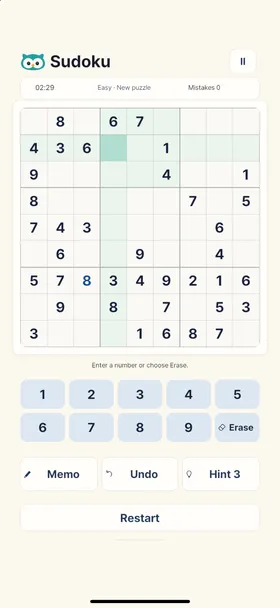
One solution to every puzzle. Find your way there with logic alone.
4
Ways to challenge yourself
Easy to Expert, graded by the solving techniques each puzzle needs.
Offline
Play at your own pace
No account. No internet needed. Just open the game and begin.
OFFICIAL TRAILER
Your little moment of calm,
in 40 seconds.
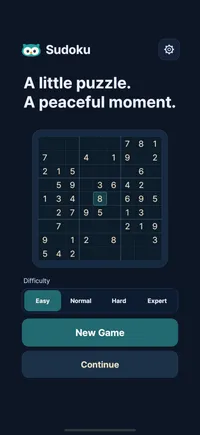
Meet Gugu and the refreshed design. Explore 2,000 puzzles, four difficulty levels, notes, tools to rethink a move, and light and dark themes.
ROOM TO THINK
A little help
for the next square.
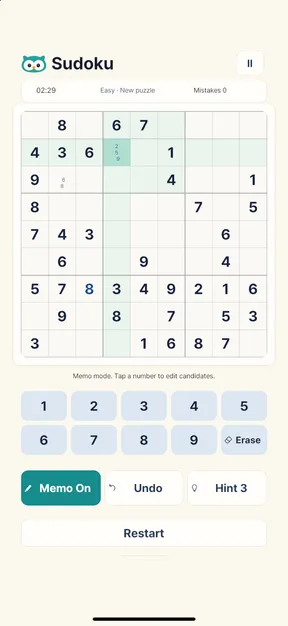
Note a possibility. Rethink a move. A few thoughtful tools help you find your way through each puzzle.
Keep track with Memo
Jot down candidate numbers. Turn on auto-remove to clear matching notes in related squares as you solve.
Rethink a move with Undo
Reverse number entries and memo changes, then explore another way forward.
Find a way forward with Hint
Reveal the answer to a selected empty square, up to three times per puzzle.
YOUR TIME, YOUR THEME
A quiet moment,
day or night.
Warm ivory or deep navy. Settle into the theme that feels right for you, whenever you find a moment to play.
Choose your theme in the game settings.
BEFORE YOU BEGIN
A few things to know.
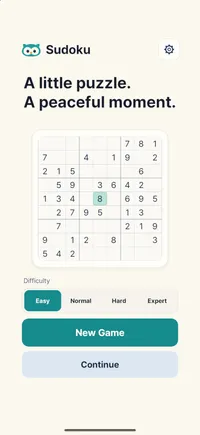
From saving your progress to playing offline, here are a few answers to get you started.
Read the full guideDo I need internet access or an account?
You can play puzzles offline, without signing up or logging in. Your progress is saved on the device you are using.
Can I come back to a game later?
Your current puzzle is saved automatically on your device. Select “Continue” on the home screen to resume with your numbers, memos and elapsed time intact.
Only one game in progress is saved at a time. Starting a new game replaces the previous puzzle, so review the confirmation before continuing.
Will too many mistakes end my game?
No. Mistakes are counted, but there is no mistake limit that ends your game. Erase or correct an incorrect number and keep solving.
Enable “Show errors immediately” to see incorrect entries as you make them. Mistakes are still recorded when this setting is off, and Undo does not reduce the mistake count.

SUDOKU MINT
Make a little room for you.
A quiet moment, a fresh puzzle, and a friendly owl. Gugu is waiting for you in Sudoku Mint.